Website & IDX check
Find the few things on your real estate website worth fixing.
Check your real estate website for problems that hold it back
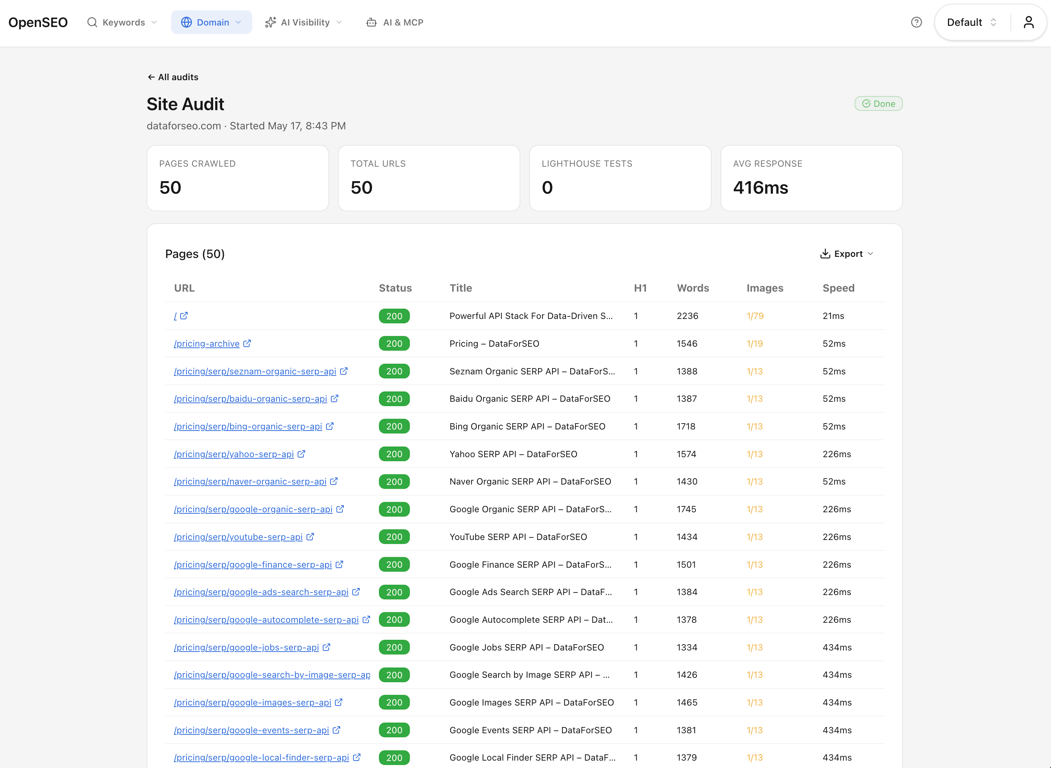
Scan your real estate website and see page titles, descriptions, headings, broken links and load times page by page. Add Lighthouse checks for speed, accessibility and SEO.
Free real estate page preview for Google
See how a listing or neighborhood page title and description may look in Google.
What you can do as a real estate agent
- 01
Scan your real estate website
Seen by Virtual Results reads your pages for status codes, titles, descriptions, headings, image alt text, links and response time, plus optional Lighthouse findings.
- 02
See what matters first
Review issues by how many pages they touch so you fix the big ones first.
- 03
Open the affected pages
Go straight to the pages with missing titles, missing descriptions, broken links or slow loads.
- 04
Know what you can change
Seen is being built to flag which fixes your real estate website platform allows, so you aren't given advice you can't act on.
What Seen shows you
- Pages scanned
- How much was checked
- Page details
- Titles, headings, links
- Affected pages
- How big each problem is
- Check history
- Progress over time
Where real estate agents use it
- Check your real estate website before you start SEO work.
- Find problems after a move to a new real estate website or IDX.
- Export findings for your web developer or website provider.
Why Seen for real estate
- One place for your keywords, competitors and website check.
- Each finding points to the page, so you know where to look.
- Page-level signals and Lighthouse findings instead of one vague score.
Real estate website guides
Short guides on what your IDX and website platform allow. Each includes a prompt for your AI assistant.
A real estate website check that ends in fixes
A scan can list hundreds of findings. Group them by cause, fix the few that matter, and hand the rest to your website provider.
IDX Broker subdomains and Search Console: a real estate checklist
If your listings live on an IDX Broker subdomain, Search Console may report it separately from your main website. Use this short checklist to check the subdomain in Search Console and to find your IDX sitemap URL in your IDX Broker dashboard.
Real estate IDX listing pages and SEO: what each platform allows
Your listing pages come from an IDX, and where they live decides what you can change. A plain-English look at the common setups and what a real estate agent can and cannot do on each.
Related for real estate
Questions real estate agents ask
What does the Website & IDX check look at?
Status codes, titles, descriptions, headings, whether Google can index the page, image alt text, links and response time for every scanned page. Turn on Lighthouse and each page also gets performance, SEO, accessibility and best-practice findings.
How many pages can I check?
On the Free plan, the form accepts 10 to 50 pages per scan. Paid plans allow up to 10,000 pages per scan.
Who is the website check for?
Real estate agents, teams and brokerages who want to know what is wrong with their real estate website before paying someone to fix it, and the web developers who get the list.
Does it check my IDX pages?
Seen checks one website address at a time. If your IDX pages live on a separate address, such as a subdomain, they are not included today.
Check your real estate website
Check where you stand, then get back to selling. From Virtual Results.